Frequently Asked Questions
This page summarizes common issues and solutions you may encounter while using HTML2APK Packer.
Installation & Startup Issues
Software won't open, missing framework
The following error message appears:
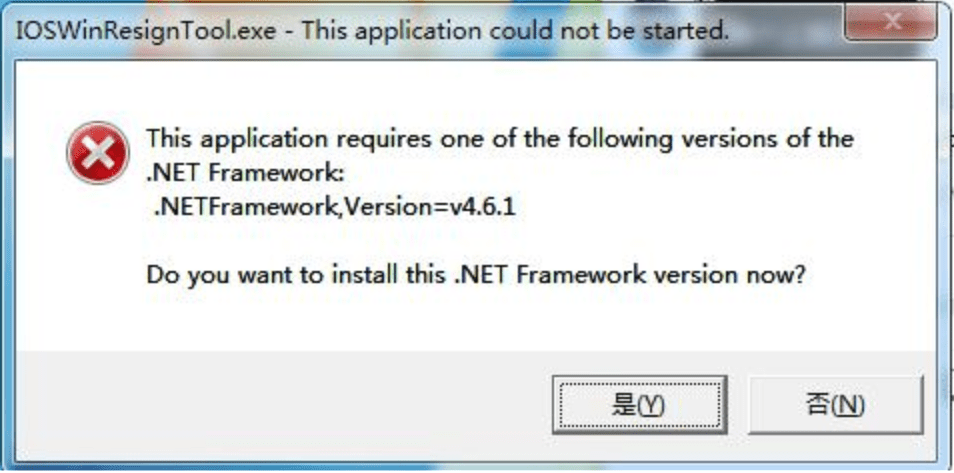
Solution: This error is caused by the system not having the required runtime installed. You can download it from this link:
Link: https://krpano.lanzoue.com/i1Qq10dk6qhi
Packaging shows "java Error opening registry key 'Software\JavaSoft\Java Runtime Environment'" error
Solution: This issue is usually caused by the packaging software being installed in a directory containing Chinese characters. Make sure the software is not installed in a directory with Chinese characters.
Software cannot be installed
Solution: The software does not support Windows XP. Please use Windows 7 or later.
Packaging Issues
APK cannot be installed on the phone or crashes after installation
Solution: This is caused by the phone's system version being lower than 4.4. Since some 3D display-type apps require WebGL support, they need Android 4.0 or above. Therefore, the software restricts packaged APKs to only support Android 4.0 (inclusive) and above.
Security software reports virus
Solution: This is usually a false positive from security software on installation packages. Please add it to the trusted list before installing.
Some files are not included in the APK
Solution: This is caused by some files in the project containing Chinese characters in their names. Please rename the project files to ensure they don't contain Chinese characters before packaging.
Packaging error with OutOfMemory message
Solution: This is caused by the project being too large. Generally, for 64-bit systems, the project should not exceed 1GB, and for 32-bit systems, it should not exceed 500MB.
Usage Issues
Software shows "Unable to retrieve resources, please check if firewall or antivirus is blocking" on startup
Solution: This prompt is generally caused by network issues. First check if your network connection is working, then check if any antivirus software or firewall is blocking the software.
Independent Signing Certificate (New in v1.5.9)
Starting from version 1.5.9, the packaging software provides a built-in independent signing certificate feature, and supports users to reset the signing certificate at any time.
You can reset the built-in independent signing certificate using the following method:
Open the software and wait for it to load, click the Reset Certificate button, and it will show a success message:

Does it support contacts permission, read/send SMS permissions?
Since contacts permission and read/send SMS permissions involve user privacy and are high-risk permissions, the vast majority of web packaging scenarios (such as panoramas, mini-games, property listings, company websites, small tools, etc.) do not need and should not use these permissions. Therefore, this packaging software does not provide the ability to enable these permissions.
If you do need these permissions and your application is legal and compliant, you can contact us for custom native development.